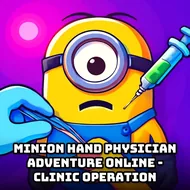
Minion Hand Physician Adventure Online - Clinic Operation
Instructions:
Use the mouse to treat MinionDescription
Minion Hand Physician Adventure Online - Clinic Operation Hidden Combos and Tips
Score-Boosting Tactics
- Examine Minion's injured hand carefully before selecting a treatment tool.
- Follow the correct treatment sequence rather than jumping between tools randomly.
- Take your time with delicate steps to avoid causing Minion any further discomfort.
- Complete the full treatment before considering the clinic visit finished.
Control Scheme
- Use the mouse to select medical tools from the on-screen tray.
- Click directly on Minion's injured hand to apply the chosen treatment.
- Follow on-screen prompts for guidance on each specific treatment step.
- Move through the treatment sequence at a comfortable, unhurried pace.
Standout Features
Casting a beloved, goofy Minion character as the patient gives this otherwise familiar hand-doctor format a genuinely charming personality boost, since watching the character's exaggerated reactions to treatment adds real warmth compared to a generic, expressionless patient model. Its simple mouse-only control scheme keeps the whole experience approachable for young children while the lighthearted Minion theme keeps the tone playful throughout every visit to the clinic. Its lighthearted tone and short session length also make it an easy, comfortable pick for a quick play break at any time. Fans of goofy, lighthearted characters will find plenty of charm in this simple clinic loop. The overall pacing rewards patient, careful clicking over rushing through treatment. Its bright, cheerful visuals also keep every treatment session feeling upbeat rather than clinical. Its simple structure makes it a comfortable pick for a quick daily play session. Younger players especially will enjoy the goofy, friendly tone throughout.